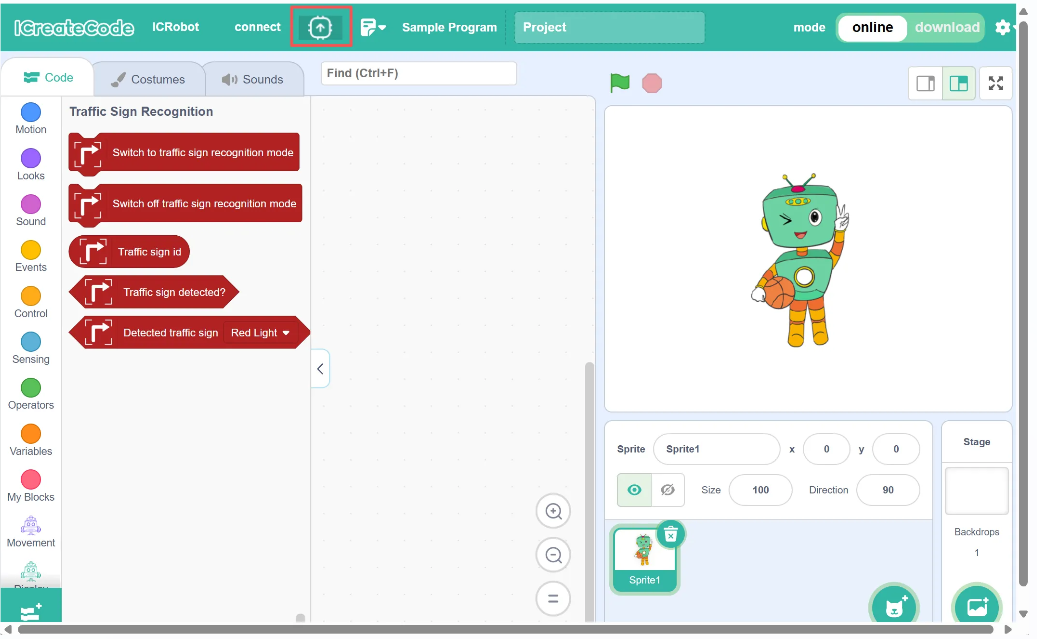
Serial Connection
Preparation
|
|
|
|
|---|---|---|---|
A computer |
ICreateCode |
ICRobot |
USB-C Cable |
Steps
|
|
|---|---|
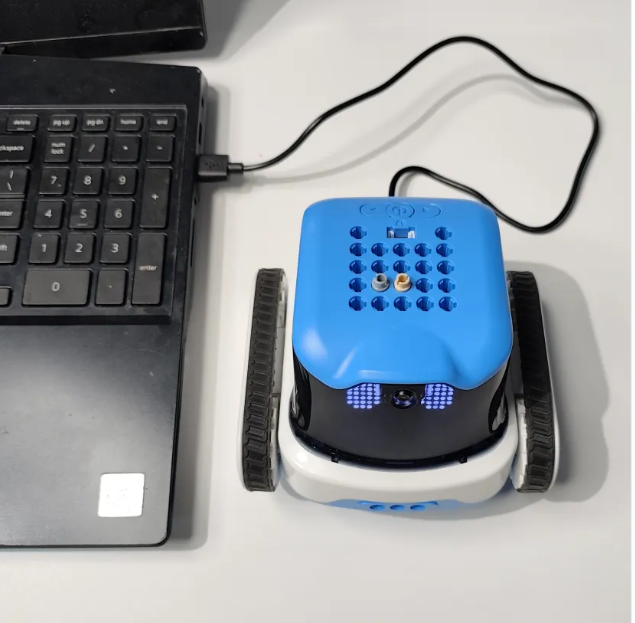
Step 1. After powering on the robot, connect the robot to the computer using a USB-C data cable. |
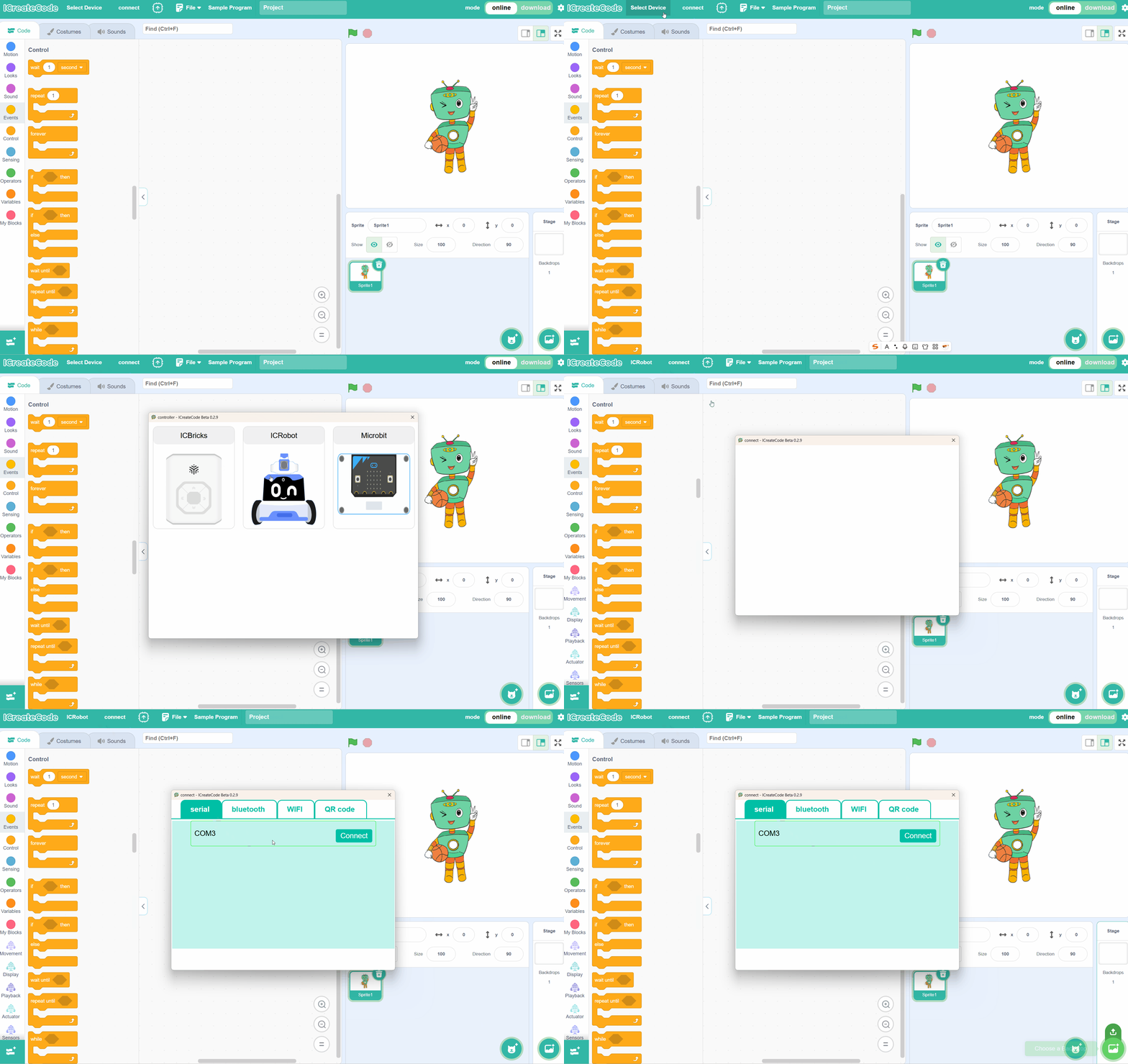
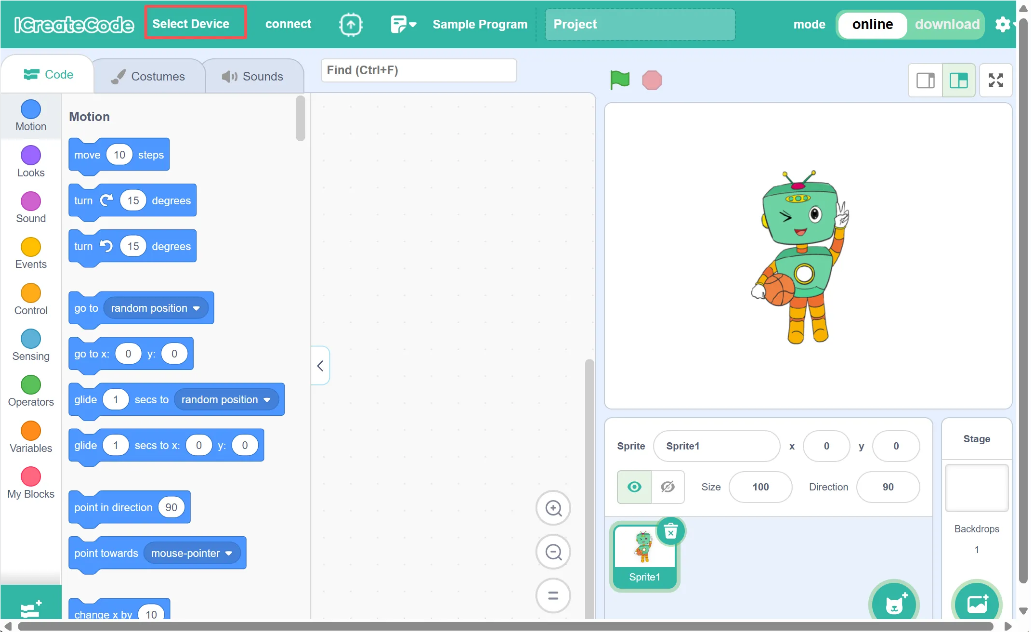
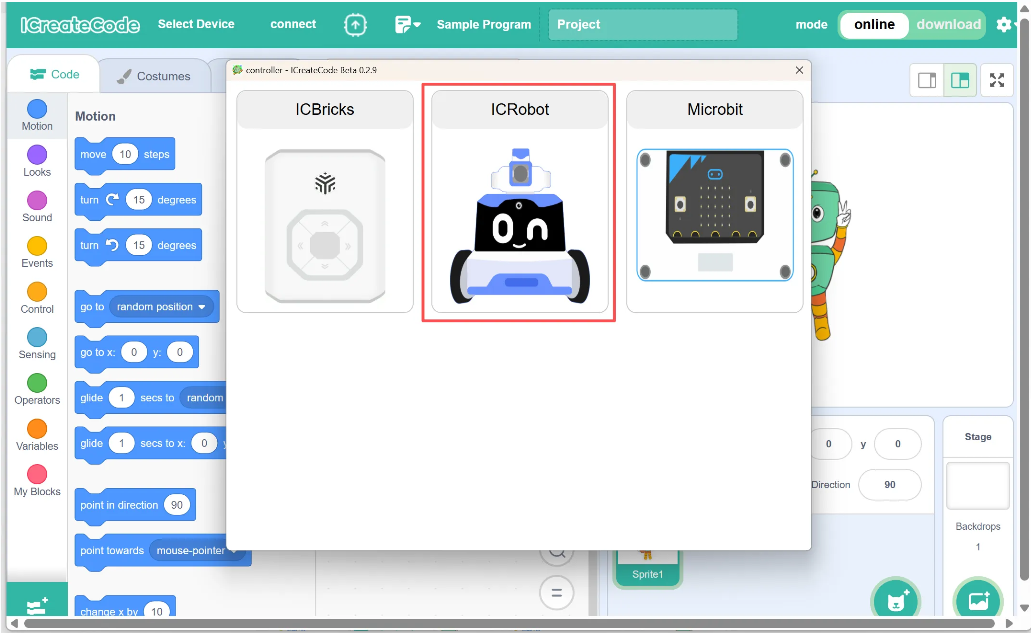
Step 2. Open the programming software on the computer, click “Select Device”, and choose ICRobot. |
|
|
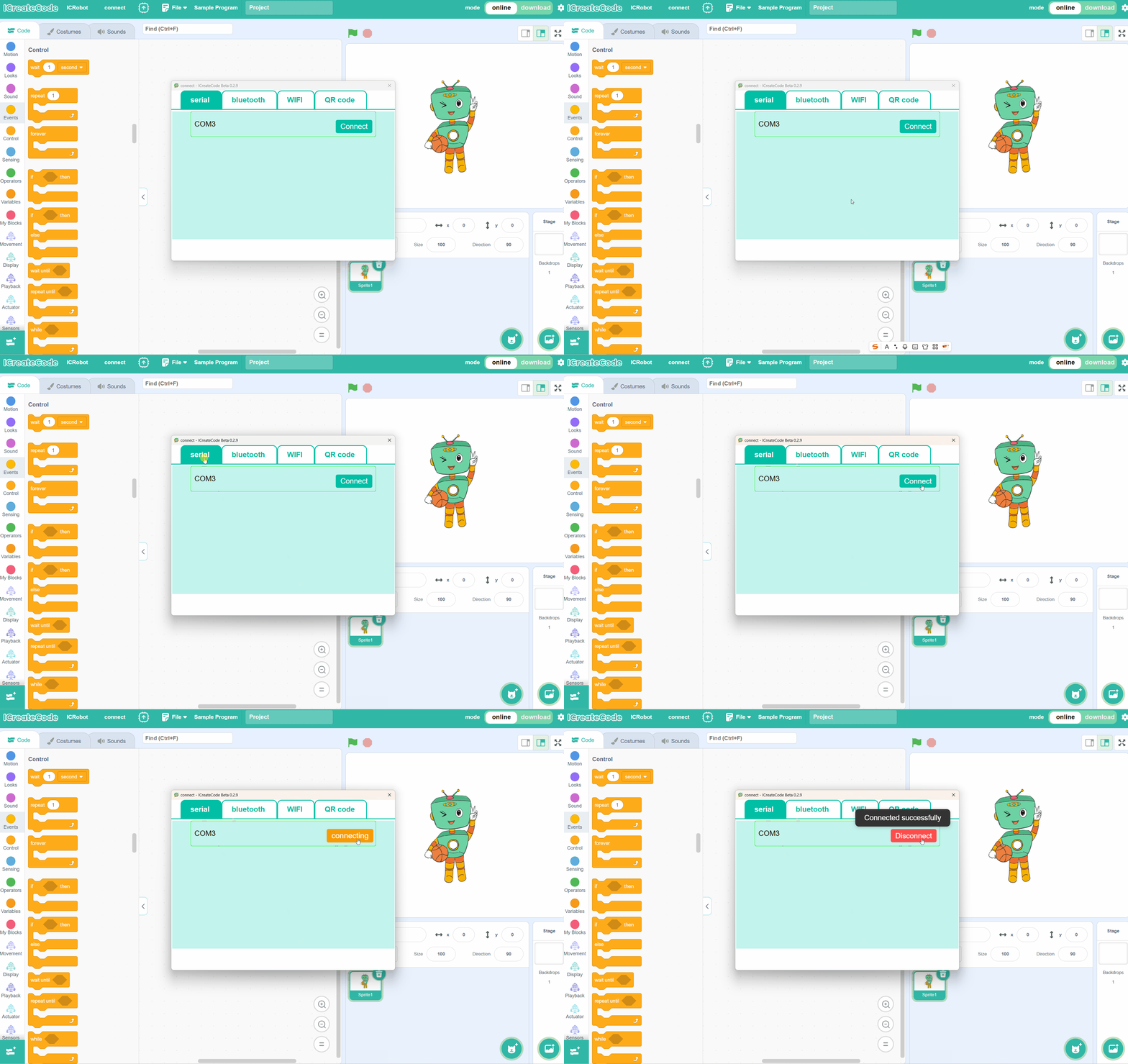
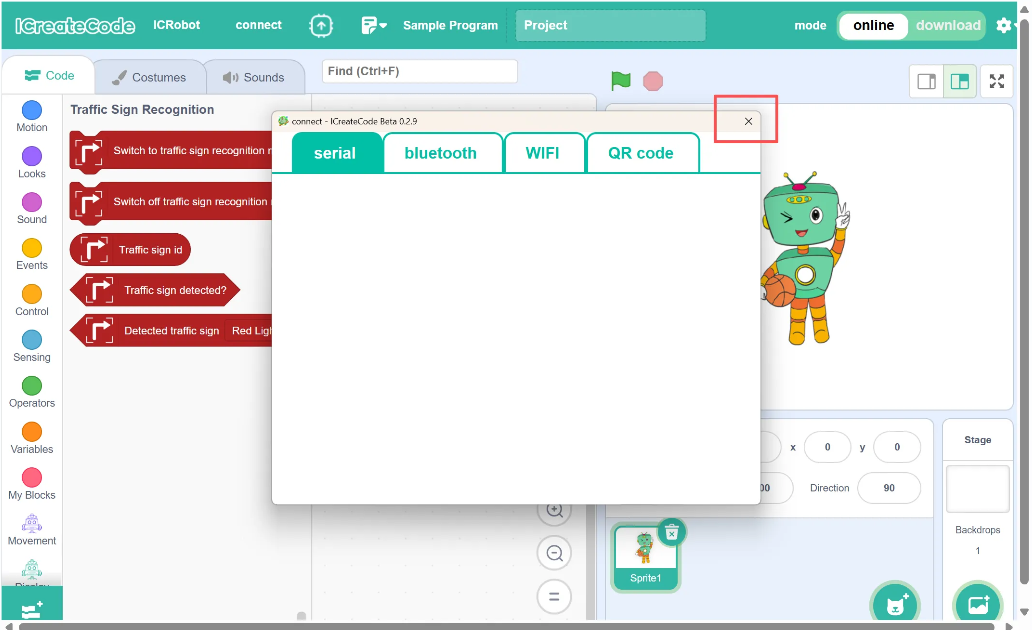
Step 3. In the “Serial” option, select the correct port number, then click “Connect”. |